

v12.1 [Jan 28, 2020]
New Features and Improvements:
- Added connector attributes for start and end cap.
- Added Arrow Connector tool to Drawing group.
- Added Add Port to context bar for UML classes, UML components and UML properties.
- Added Add Pint to context bar for UML actions.
- Added 'Toggle fields' context bar button for elements with fields (class, enumeration, etc.).
- Show UML Package name in body.
- Displaying {required} attribute for required UML extension.
- Improved UML Communication Message - added guard, iteration and concurrency.
- Added context bar button for UML stereotype - Add Super Stereotype, Add Sub Stereotype.
- Formatting commands from ribbon applied to all text styles used in seleted elements.
- Instance specification can be set as value to instance specification attribute.
- UML Artifact can also be displayed as a document icon.
- Added new custom relationship cap types: FilledSquare, Circle, FilledCircle, Arc.
- Added additional recommended transitions between elements (activity diagram, profile diagram).
- Added UML Dependency tool to UML Package Diagram group in toolbox.
- If custom default size of element is set to nothing, a predefined size will be used.
- Improved rendering of UML Activity Final Node and UML Final State for wide borders.
- Improved UI Check Box and UI Radio Button rendering - box size is bound to font height.
- Added support also for older EDMX version.
Fixed Bugs:
- Fixed long package URI rendering.
- Fixed long tagged value rendering.
- Fixed applying formatted styles from ribbon for selected fields.
- Fixed redundant separator line for enumeration with hidden fields.
- Fixed removing attribute default value in diagram editing if an enumeration value was set.
- Fixed selecting and connecting to UML required interface when its owner is nested a container.
- Fixed missing shadow for circular charts and arc bar chart.
- Fixed deadlock when setting a very small size to area chart.
- Fixed refreshing field style after applying a style from a style set for second and other times.
- Fixed applying styles from ribbon to a chart part.
- Fixed loading the correct style for charts after adjusting the style and then saving and loading.
- Fixed loading the correct rotation of arc bar chart.
- Fixed drag&dropping elements from project tree view in Element List mode.
- Fixed opening floating info windows one immediately after another.
- Fixed search&replace for ERD entity attributes.
- Fixed highliting found text in ERD entity attribute with column layout.
- Fixed default name for UML Stereotype element.
- Fixed some localization strings.
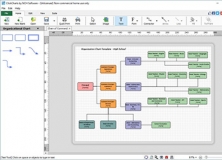


ClickCharts Flowchart Pro Edition allows you to create visual representations.
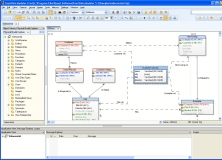

You can create data models and deploy accurate changes to data structures.
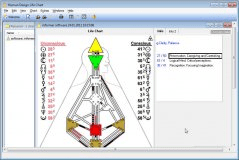

Human Design software is the most accurate tool for creating your own chart.

Integrate it to other applications as an activeX control to create diagrams.


